
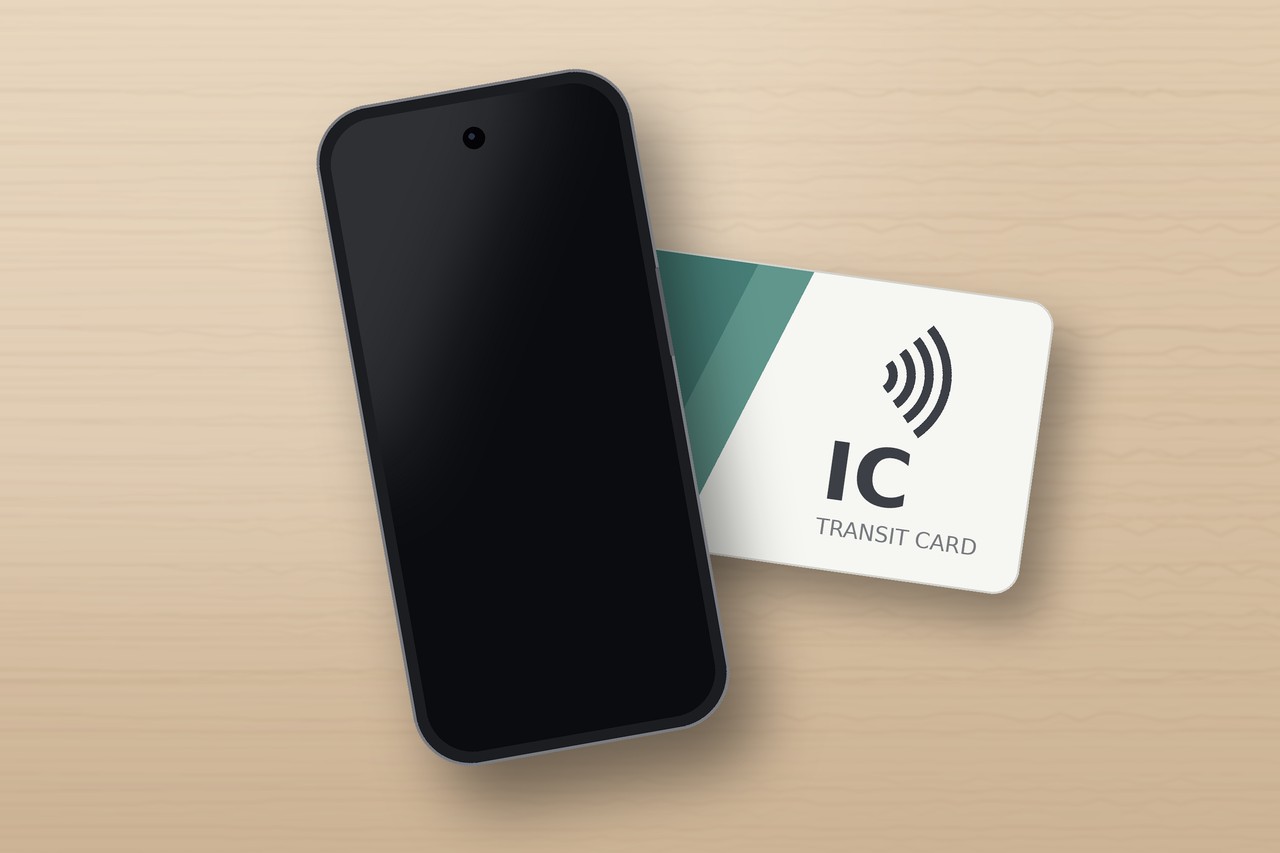
Whether your Android phone can use Suica comes down to where it was bought and whether it has a FeliCa chip, the contactless standard Japan’s transit cards run on. The brand and price don’t matter. Android phones bought outside Japan can’t add Suica, whether through Google Wallet, the Mobile Suica app or Welcome Suica Mobile (the app made for visitors). Android phones bought in Japan with Osaifu-Keitai support can.
That is starting to change. Samsung plans to bring Welcome Suica Mobile to new Galaxy phones sold overseas from the first half of 2027, and Google’s Pixel 11 series supports FeliCa on every model except those sold in the US. If you’re travelling now, buy a physical card when you land, or tap a credit card straight through the gates on Tokyo’s subways and private railways.
| Your phone | Can it add Suica? | What to do |
|---|---|---|
| Android bought outside Japan (including current Samsung models) | Not for now | Buy a physical card on arrival, or tap a credit card on Tokyo subways and private lines |
| Android bought in Japan with Osaifu-Keitai | Yes | Set it up in Google Wallet or the Mobile Suica app |
| Pixel 11 series (non-US models) | FeliCa in hardware, setup unconfirmed | Try Google Wallet first, buy a card if it fails |
Android phones bought outside Japan: no Suica for now
The reason: Japan uses FeliCa (NFC Type-F), phones abroad use Type-A/B
Your phone has NFC, so why doesn’t it work? NFC comes in several types. Japan’s transit cards use FeliCa, a Sony technology also known as NFC Type-F, while the tap-to-pay credit cards you use at home run on Type-A/B. Having NFC only means your phone can handle Type-A/B.
Japan Pocket Wifi Rental
Japan eSIM : Fast & Easy & UNLIMTED
Japan Travel eSIM
iPhones work because Apple has built FeliCa into every model sold worldwide since the iPhone 8 and iPhone X in 2017. Android brands each make their own call, and until recently only phones sold in Japan had FeliCa turned on.
Region changes, rooting and updates won’t fix it
You’ll see advice online to switch Google Play to the Japan store and download the Suica app. You might get the app, but Mobile Suica, Mobile PASMO and Mobile ICOCA all require a phone that supports Osaifu-Keitai, which means a Japanese model with FeliCa built in. With the wrong hardware, the app can’t issue a card. Guides to unlocking the bootloader and flashing Japanese firmware can void your warranty and, if something goes wrong, leave the phone unable to boot. It isn’t worth the risk for one trip.
A software update won’t change this either. Samsung’s plan covers new Galaxy phones sold overseas from 2027 onward, so the Galaxy you own today isn’t included. If you’re waiting for Samsung, you’re waiting for your next phone.
Brand by brand: which Android phones will get support
The table reflects the situation as of November 2026, with the iPhone in the first row for comparison.
| Phone | Bought outside Japan: can it add Suica? | What’s next |
|---|---|---|
| iPhone 8 or later (for comparison) | Yes | Already supported |
| Samsung Galaxy (current models) | No | No, the hardware isn’t there |
| Samsung Galaxy (overseas models from 2027) | Expected, Welcome Suica Mobile only | From the first half of 2027, models not yet named |
| Google Pixel 11 series (non-US models) | FeliCa supported in hardware | Actual setup not yet confirmed |
| Google Pixel 11 series (US models) | No | No FeliCa support listed |
| Google Pixel 10 and earlier | No | Not enabled by Google |
| Other overseas Android brands | No | Check each brand’s announcements |
| Android phones sold in Japan with Osaifu-Keitai | Yes | Already supported |
Samsung: first half of 2027, Welcome Suica Mobile only
Samsung and JR East announced their partnership on 21 April 2026. The goal is for Galaxy phones sold overseas from the first half of 2027 to issue Suica through Welcome Suica Mobile, for both trains and shopping, with top-ups from credit cards in Samsung Pay. Regions and models will be announced later, according to Samsung Japan’s press release.
Note that this is Welcome Suica Mobile, the visitor version, rather than the standard Mobile Suica used by residents. Based on the official details, it needs no deposit and lasts 180 days, but the balance can’t be refunded and expires with the card. When it arrives, top up only what your trip will use.
So can you add Suica to Samsung Wallet today? No. Galaxy phones sold outside Japan don’t have FeliCa, so Suica never appears in the wallet, and even Samsung Japan lists Suica in Samsung Wallet as coming in the first half of 2027. Once it launches, Samsung Pay works as the payment method: the card is issued inside the Welcome Suica Mobile app, and you top it up, or buy Green Car tickets and discount passes, with a credit card saved in Samsung Pay.
Pixel 11: the hardware is there, the setup isn’t proven
According to Google’s Pixel help pages, the Pixel 11, Pixel 11 Pro and Pixel 11 Pro XL support FeliCa on all models except the US versions, while the Pixel 11 Pro Fold supports it in every region. It’s the first time an Android maker has officially enabled FeliCa on phones sold abroad.
Hardware support doesn’t guarantee it works out of the box, though. Adding Suica may require a Google account or Play Store set to Japan, and top-ups may reject cards issued outside Japan; Get Around Japan hasn’t tested it yet. If you have a non-US Pixel 11, open Google Wallet before you fly and see whether Suica appears when you add a transit card. If it doesn’t, plan on one of the options below.
Android phones bought in Japan: two ways to set up Suica
If your Android phone was bought in Japan and has the Osaifu-Keitai app, you can add a mobile Suica directly, with no physical card needed. That usually covers people living, working or studying in Japan, and anyone who bought their phone here. Not sure? Search your app list or settings for 「おサイフケータイ」 (Osaifu-Keitai). If it’s there, your phone supports it.
There are two routes: Google Wallet, or JR East’s Mobile Suica app. Both get you through the gates and let you pay in shops. The differences are in how you top up and which credit cards you can link.
Google Wallet: no extra app needed
Open Google Wallet, tap 「使ってみる」, choose Suica, agree to the terms and register as a member. You can issue a Suica this way without owning a physical card. If you already have a card in the Mobile Suica app, you can add that same card to Google Wallet instead.
You can top up in ¥1 steps from a credit card on your Google account, or with cash at a convenience store counter or a station charge machine. JR East doesn’t say whether Google Wallet accepts cards issued outside Japan, so if yours is a foreign card, keep some yen on hand just in case.
Mobile Suica app: foreign credit cards generally won’t register
Download 「モバイルSuica」 from Google Play. With a phone that has a phone number set up and a credit card, you can issue a new Suica or move an existing physical Suica into the app. You can also register without a credit card, though some features won’t be available.
Note that JR East states credit cards and prepaid cards issued outside Japan generally can’t be registered with Mobile Suica. If you only have a foreign card, top up in the app with cash at a convenience store or charge machine, or use Google Wallet instead.
The visitor app, Welcome Suica Mobile, is currently iOS only, so it isn’t available even on Android phones bought in Japan. On Android, the two routes above are the way to go.
What to do on this trip: 4 ways through the gates
So how should you prepare if your Android phone was bought outside Japan? For a short trip, buying a physical card on arrival is the safest choice. If you don’t want to pay a deposit, get Welcome Suica or Tourist PASMO. If you’ll only ride subways and private railways, you can skip the card and tap a credit card instead.
| Option | Deposit | Valid for | Leftover balance | Where to get it | Works on JR? |
|---|---|---|---|---|---|
| Standard Suica | ¥500, refunded when returned | 10 years from last use | Refundable (minus a fee) | Multi-function ticket machines at JR East stations | Yes |
| Welcome Suica | None | 28 days | Not refundable | Narita and Haneda airports, some JR East Travel Service Centers | Yes |
| Tourist PASMO | None | 28 days from issue | Not refundable | Railway stations at Narita and Haneda airports | Yes |
| Credit card tap | None | Not applicable | Charged per ride | Nothing to buy | No, not on any JR East line |
Standard Suica: the safest choice, and the balance carries over
You can buy one from the multi-function ticket machines at JR East stations. Tap 「Suicaの購入」 on the main screen; the machine switches to English and doesn’t ask for your passport. There are six prices from ¥1,000 to ¥10,000, each including a ¥500 deposit, and the machines take Japanese yen cash only.
It suits anyone likely to visit Japan again. The card stays valid for 10 years from its last use, so whatever you don’t spend this time is there when you land next time. Which machine to look for and where to buy at the airports is covered in our guide to buying a Suica card.

Welcome Suica: no deposit, use it within 28 days
This red card is made for overseas visitors. There’s no deposit, so every yen you pay goes on the balance. It’s only sold from dedicated machines at Narita and Haneda airports and at some JR East Travel Service Centers, and each person can buy one.
It lasts 28 days, the balance can’t be refunded, and it can’t be reissued if lost. It’s a good fit for trips under four weeks when you don’t expect to return soon. The details are in our Welcome Suica guide, and Welcome Suica vs regular Suica compares the two side by side.
Tourist PASMO: the other visitor card at the airports
Tourist PASMO is a visitor card PASMO launched in May 2026, replacing PASMO PASSPORT, which ended in 2024. It also needs no deposit, lasts 28 days from issue and doesn’t refund the balance, and it works anywhere Suica does: trains, buses and shops.
It’s sold at the railway stations at Narita and Haneda airports. Narita sells only a ¥2,000 card; Haneda offers six prices from ¥1,000 to ¥10,000, and the full price is your spendable balance, per the Tokyo Metropolitan Bureau of Transportation’s announcement. If the queue at the Welcome Suica machine is long, this is the one to grab. More in our Tourist PASMO guide.
Credit card tap: enough if you stick to subways and private lines
Your Android phone can’t hold Suica, but it can pay with a credit card. Since 25 March 2026, Tokyo Metro, Toei Subway and nine other operators in the Tokyo area, 11 in all, have accepted contactless credit cards at the gate. A card in Google Wallet works too when you tap your phone.
The catch is that no JR East line accepts it, so the Yamanote and Chuo lines are off-limits, and so is the Keisei line from Narita Airport into the city. You also have to exit with the same device you entered with: tap in with the physical card and out with your phone, and the gate won’t open.
Outside Tokyo, Osaka Metro and other Kansai operators have been adding credit card gates since October 2024, and the Fukuoka City Subway and Okinawa’s monorail take them too. Each region runs its own system, and JR lines there mostly don’t accept cards either.

You can’t buy Suica in Kansai, so get the local ICOCA card instead. It works the same way and also has a ¥500 deposit. Where to buy it at the airport is in Where to buy ICOCA at Kansai Airport and in Osaka.
Pick the option that fits your trip
| Your situation | Our pick |
|---|---|
| Mostly Tokyo, and you’ll come back to Japan | Standard Suica |
| Trip under four weeks, no plans to return soon | Welcome Suica or Tourist PASMO |
| Subways and private lines only, no card wanted | Credit card tap |
| You’ll ride the Yamanote Line, or Keisei from Narita | You need a physical card |
| Arriving at Kansai Airport | ICOCA |
| You have a non-US Pixel 11 | Try Google Wallet before you fly; buy a card if it fails |
| Planning to buy a new Samsung in 2027 | Check the model list once it’s announced |
With a physical card, top-ups are cash only
The biggest difference between Android and iPhone users is topping up. A mobile Suica can be topped up any time from a credit card in the app; a physical card only takes Japanese yen in cash, at ticket machines, charge machines, the fare adjustment machines by the gates, or convenience store counters.
So bring some yen, and smaller notes help. For a sense of how much to carry, see how much cash to bring for Japan.
When you rely on a credit card instead of Suica, you’ll be looking up which operators accept it and whether a transfer runs onto JR, right at the station. Setting up Suica on a Pixel 11 needs a connection too. CDJapan Rental’s eSIM runs on docomo, Japan’s largest network: buy online, scan the QR code to activate, and there’s no physical SIM to swap.
FAQ
Can I add Suica to a Galaxy Watch or Pixel Watch?
Not right now. Google’s help page says a Pixel Watch must be bought in Japan to add Suica, and Samsung’s April 2026 announcement notes that Galaxy Watch models can’t use Samsung Wallet in Japan. The only smartwatch that works with Suica for overseas visitors is an Apple Watch (Series 3 or later, paired with an iPhone).
Can I move a physical Suica card onto my phone later?
Not onto an Android phone bought outside Japan. If you switch to an iPhone, you can use Transfer Existing Card in the Wallet app, but once the transfer is done the physical card stops working.
Do I need to return my Suica card before I leave Japan?
No. A standard Suica stays valid for 10 years from its last use, so if you plan to come back, keeping it is the simplest option. If you do return it, it has to be at a JR East ticket office: ¥220 comes off the balance as a fee, and the ¥500 deposit is refunded in full.
Will a card in my phone case work at the ticket gate?
It may not. Your phone has its own contactless chip, so a card pressed against the back of it can fail to read. Take the card out and tap it on its own, or at least keep it apart from your credit cards.
My travel partner has an iPhone. Can they set up a mobile Suica for me?
No. A mobile Suica lives on the iPhone or Apple Watch it was added to and can’t be passed to an Android phone, and one card can only get one person through the gate at a time. As an Android user, you need your own physical card.
Related reading
Short trip or long stay — we've got you covered
Best for Travelers
Japan eSIM
From ¥2,800 — activate before you land
- Cheaper than airport & convenience store SIMs
- 5-day to 135-day plans; unlimited or data-capped
- No SIM swap needed — ready in 2 minutes
Best for Long Stays
Monthly Pocket WiFi
From ¥5,500/mo — unlimited, no throttle
- Choose WiMAX 5G or SoftBank 4G coverage
- 3 to 12-month contracts — longer means cheaper
- Delivered to your hotel or airport post office


